
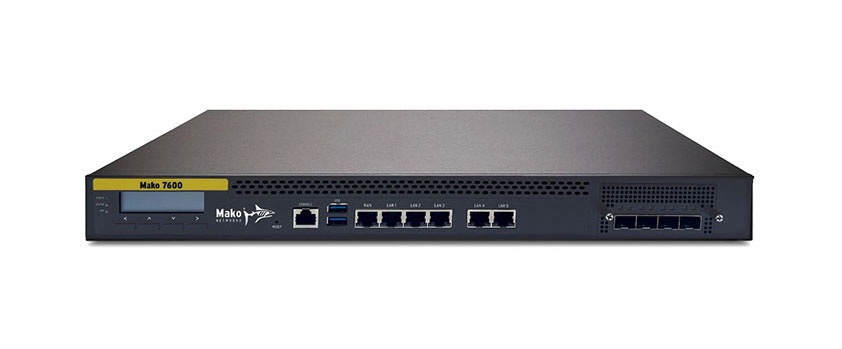
Box Contents
- 1x Mako 7600 device
OR Mako 7610 device - 1x power cable
- 1x Ethernet cable
- 1x mounting screw set
Requirements
You must have:
- Broadband internet service
- Electric power service
Recommendations
You may want:
- A surge protector
- One or more Ethernet switches and additional Ethernet cables
- An internet-connected device with a modern web browser for remote management
Important Safety Instructions
Avoiding Fire, Shock, Electrical Damage
Keep your Mako device away from water or damp environments, including wet basements and around refrigeration units. Do not place containers of fluid on the Mako device, such as drinks, vases or cleaning products.
Do not attempt to open the Mako device. There are no user-serviceable parts. Repairs may only be performed by accredited service personnel.
Observe all warnings affixed to this Mako device or its power supply.
Use surge protectors to mitigate interference and damage from lightning storms.
Password Security
Protect your credentials. Do not write your password down or give it to anyone else, not even to Mako Support personnel or sanctioned Managed Service Providers. They will never ask for your password. On rare occasions the Mako ID may be requested. The Mako ID is printed on the back of each Mako device.
Connecting Your Mako Device
1. Connect WAN Port to Your Broadband Modem

Connect your Mako device’s WAN 1 port to your broadband modem.
2. Connect LAN Ports to Your Local Network

Use your Mako device’s LAN 1 – 5 ports to connect to your local network, as needed.
3. Mount Mako Device (Optional)
Your Mako device can be mounted in a server rack using the included mounting screw kit, if desired.
4. Connect to Power

Connect the female end of the included power cord to the power port on the back of your Mako device, then connect the male end to a power outlet.
5. Log In to the Mako CMS (Optional)
Your Mako device gets its configuration from the Mako Central Management System (CMS). Your Mako Networks reseller should have preconfigured a profile for your Mako device in the Mako CMS and should also have provided you with login credentials to access the Mako CMS to control and manage your Mako device.
The Mako CMS can be accessed by clicking the “Login” link at:
In the Mako CMS, you can verify that important network settings are correct, such as cellular failover configurations.
Regulatory Statements
This device is designed to comply with industry standards in the markets in which it is sold. Details provided upon request.