
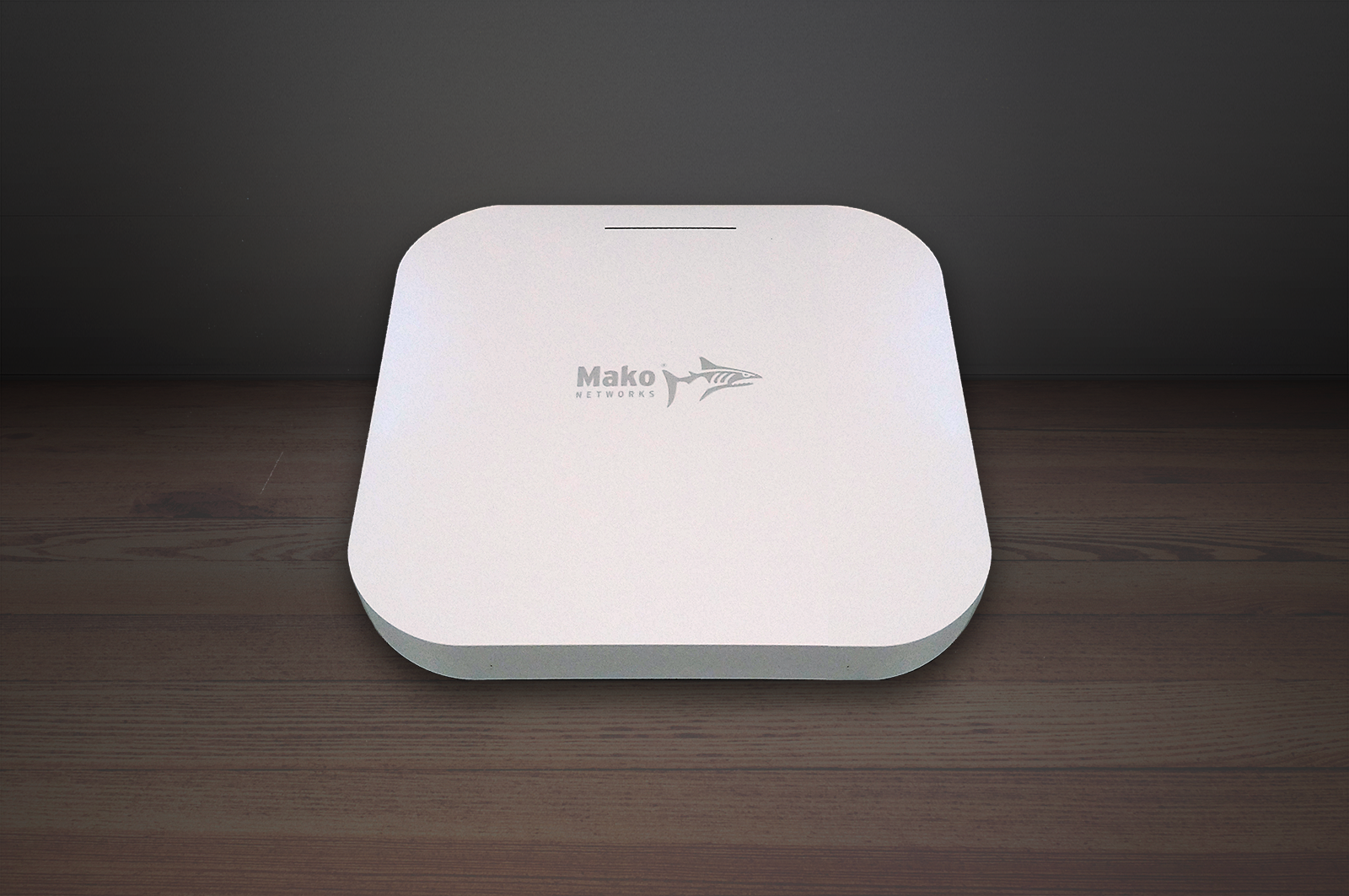
Box Contents
- 1x Mako 4600 device
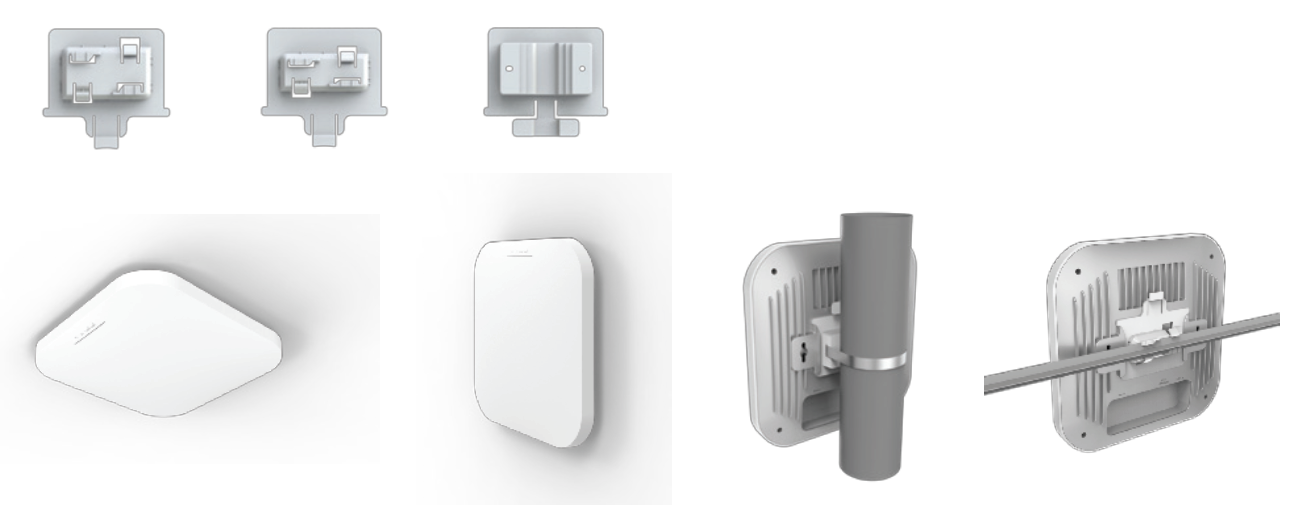
- 3x mounting brackets (T-Rail, wall-mount, and wire-hold)
- 2x anchor and screw sets
Requirements
You must have:
- Broadband internet service
- Electric power service via either Power over Ethernet (PoE) or a 12 V DC power adapter
Recommendations
You may want:
- A surge protector
- One or more Ethernet switches and additional Ethernet cables
- An internet-connected device with a modern web browser for remote management
Important Safety Instructions
Avoiding Fire, Shock, Electrical Damage
Keep your Mako device away from water or damp environments, including wet basements and around refrigeration units. Do not place containers of fluid on the Mako device, such as drinks, vases or cleaning products.
Do not attempt to open the Mako device. There are no user-serviceable parts. Repairs may only be performed by accredited service personnel.
Observe all warnings affixed to this Mako device or its power supply.
Use surge protectors to mitigate interference and damage from lightning storms.
Password Security
Protect your credentials. Do not write your password down or give it to anyone else, not even to Mako Support personnel or sanctioned Managed Service Providers. They will never ask for your password. On rare occasions the Mako ID may be requested. The Mako ID is printed on the back of each Mako device.
Connecting Your Mako Device
1. Connect LAN (PoE) Port to Your Local Network
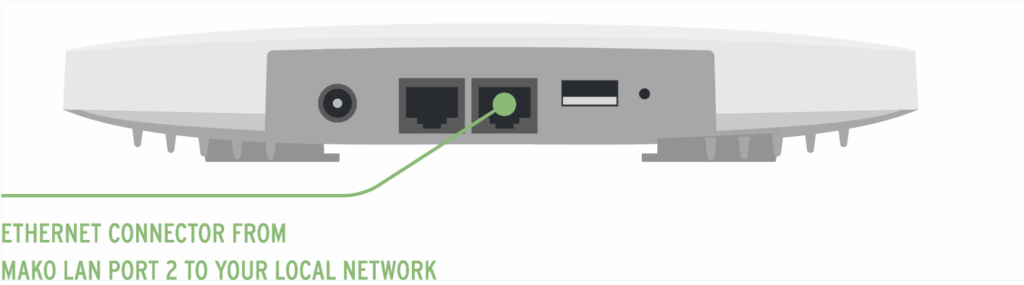
Use your Mako device’s LAN (PoE) port to connect to your local network.
PoE Option
Your Mako device’s LAN (PoE) port accepts PoE power. Connect it to your PoE equipment.
Power Adapter Option
If PoE is not available, connect your Mako device’s DC12V port to a power outlet using a 12 V DC power adapter.
2. Mount Mako Device (Optional)
3. Log In to the Mako CMS (Optional)
Your Mako device gets its configuration from the Mako Central Management System (CMS). Your Mako Networks reseller should have preconfigured a profile for your Mako device in the Mako CMS and should also have provided you with login credentials to access the Mako CMS to control and manage your Mako device.
The Mako CMS can be accessed by clicking the “Login” link at:
In the Mako CMS, you can verify that important network settings are correct, such as Wi-Fi configurations.
Regulatory Statements
FCC Compliance Notice
Any changes or modifications not expressly approved by the party responsible for compliance could void your authority to operate the equipment.
NOTE: This equipment has been tested and found to comply with the limits for a Class B digital device, pursuant to par 15 of the FCC Rules. These limit are designed to provide reasonable protection against harmful interference in a residential installation. This equipment generates, uses and can radiate radio frequency energy and, if not installed and used in accordance with the instructions, may case harmful interference to radio communications. However, there is no guarantee that interference will not occur in a particular installation. If this equipment does cause harmful interference to radio or television reception, which can be determined by turning the equipment off and on, the user is encouraged to try to correct the interference by one or more of the following measures:
- Reorient or relocate the receiving antenna.
- Increase the separation between the equipment and receiver.
- Connect the equipment into an outlet on a circuit different from that to which the receiver is connected.
- Consult the dealer or an experienced radio/TV technician for help.
This equipment complies with FCC RF radiation exposure limits set forth for an uncontrolled environment. This equipment should be installed and operated with a minimum distance of 20 centimeters between the radiator and your body.
CE RED Compliance Notice
This equipment complies with CE radiation exposure limits set forth for an uncontrolled environment. This equipment should be installed and operated with a minimum distance of 20 cm between the radiator & your body.
Power Input:  12V 2.5A
PoE Input: 54V 0.6A

IC Compliance Notice
| Normative Reference | Description |
|---|---|
|
CS-03, DC-01 Section 8.3.2 |
REN StatementThe Ringer Equivalence Number (REN) indicates the maximum number of devices allowed to be connected to a telephone interface. The termination of an interface may consist of any combination of devices subject only to the requirement that the sum of the RENs of all the devices not exceed five. Déclaration RENL’indice d’équivalence de la sonnerie (IES) sert à indiquer le nombre maximal de dispositifs qui peuvent être raccordés à une interface téléphonique. La terminaison d’une interface peut consister en une combinaison quelconque de dispositifs, à la seule condition que la somme des IES de tous les dispositifs n’excède pas cinq. |
|
RSS-GEN Section 8.4 PRS-100 Section 4 |
Canadian Compliance StatementThis device complies with Industry Canada license-exempt RSSs. Operation is subject to the following two conditions: 1) This device may not cause interference, and 2) This device must accept any interference, including interference that may cause undesired operation of the device. Déclaration de Conformité CanadienneLe présent appareil est conforme aux CNR d’Industrie Canada applicables aux appareils radio exempts de licence. L’exploitation est autorisée aux deux conditions suivantes : 1) l’appareil ne doit pas produire de brouillage; 2) l’utilisateur de l’appareil doit accepter tout brouillage radioélectrique subi, meme si le brouillage est susceptible d’en compromettre le fonctionnement. |
| NII Statements |
Caution:1) The device for operation in the band 5150–5250 MHz is only for indoor use to reduce the potential for harmful interference to co-channel mobile satellite systems; 2) For devices with detachable antenna(s), the maximum antenna gain permitted for devices in the band 5725-5850 MHz shall be such that the equipment still complies with the e.i.r.p. limits specified for point-to-point and non-point-to-point operation as appropriate. Avertissement:1) Le dispositif fonctionnant dans la bande 5150-5250 MHz est réservé uniquement pour une utilisation à l’intérieur afin de réduire les risques de brouillage préjudiciable aux systèmes de satellites mobiles utilisant les mêmes canaux; 2) Le gain maximal d’antenne permis pour les dispositifs avec antenne(s) amovible(s) utilisant la bande 5725-5850 MHz doit se conformer à la limitation P.I.R.E spécifiée pour l’exploitation point à point et non point à point, selon le cas. |
| RSS-102 Section 2.6 (MPE) |
Radiation Exposure Statement:This equipment complies with IC radiation exposure limits set forth for an uncontrolled environment. This equipment should be installed and operated with minimum distance 20cm between the radiator & your body. Déclaration d’Exposition aux Radiations:Cet équipement est conforme aux limites d’exposition aux rayonnements IC établies pour un environnement non contrôlé. Cet équipement doit être installé et utilisé avec un minimum de 20 cm de distance entre la source de rayonnement et votre corps. |
| DC-01 Section 8.3.1 |
This product meets the applicable Innovation, Science and Economic Development Canada technical specifications. Le présent produit est conforme aux spécifications techniques applicables d’Innovation, Sciences et Développement économique Canada. |